Course description

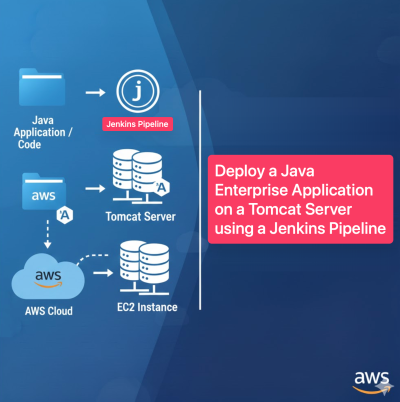
In this advanced lab, you will build a complete CI/CD pipeline for a Java Enterprise Application using Jenkins, Tomcat, and AWS. You'll start by provisioning a multi-tier infrastructure with Terraform, including VPCs, subnets, security groups, and EC2 instances for Jenkins, Tomcat, Bastion, and MySQL. You'll then configure Jenkins with necessary plugins, set up credentials, and create a pipeline script that automates building and deploying the application to Tomcat. By the end of this lab, you'll have a fully automated deployment pipeline that triggers on code changes, builds with Maven, and deploys to a Tomcat server, demonstrating end-to-end DevOps practices.

Additionally, all learners receive dedicated online support through our Slack workspace where you can ask questions, get troubleshooting help, and interact with our team throughout the entire project.

Click here to access Slack workspace link

What will i learn?

  • Provision a multi-tier AWS infrastructure using Terraform
  • Configure Jenkins with plugins, credentials, and build tools
  • Create and manage a Jenkins pipeline script for CI/CD
  • Automate building and deploying a Java application to Tomcat
  • Integrate GitHub with Jenkins for automatic pipeline triggering
  • Verify deployment and access the application via a web browser

Requirements

  • An AWS account with Terraform and EC2 access
  • Basic knowledge of AWS networking (VPC, subnets, security groups)
  • Familiarity with Jenkins, Maven, and Tomcat
  • A GitHub account with a Java web application repository
  • Understanding of CI/CD concepts and pipeline scripting
  • SSH client for connecting to EC2 instances

Frequently asked question

The Bastion host acts as a secure jump server to access private resources like the MySQL database, ensuring that database access is restricted and audited.

Yes, you can modify the tomcat.sh and jenkins.sh scripts to install different versions. Ensure compatibility between your Java application, Tomcat, and JDK versions.

Jenkins uses GitHub credentials (personal access token) to clone the repository and an SSH private key to deploy the WAR file to the Tomcat server. Both are configured as credentials in Jenkins.

Akinola Ojuola

Cloud Solution Architect, DevOps Consultant & Trainer

Akinola Ojuola is a seasoned Cloud Solution Architect, DevOps Consultant and technical trainer with over 20 years of industry expertise. Throughout his career, he has worked with some of the world’s most prominent technology-driven organisations, including IBM, Fujitsu, Walmart, and MasterCard, delivering transformative solutions across various sectors. Akinola has trained and mentored more than 1,000 students across 18 countries on five continents. His commitment to real-world, practical learning has enabled hundreds of learners to launch successful careers in global tech companies. He is passionate about practical, real-world learning. His teaching approach blends deep technical knowledge with hands-on, enterprise-level experience. He holds multiple industry certifications and leads advanced projects in Cloud Architecture, DevOps, DevSecOps, and Artificial Intelligence for both private enterprises and public institutions.Whether you’re just starting or looking to advance your tech career, you’ll gain valuable, job-ready skills under his guidance.

$10

Lectures

1

Skill level

Advanced

Expiry period

1 Months

Certificate

Yes

Related courses