Course description

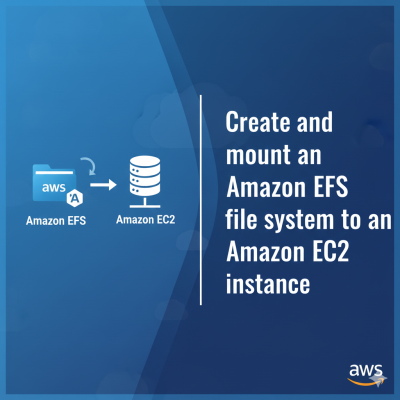
In this hands-on lab, you will learn how to set up a shared file system using Amazon EFS and attach it to multiple EC2 instances. You'll start by creating custom security groups for both EC2 and EFS, ensuring secure access control. Next, you'll create an EFS file system with encryption and automatic backups enabled. You'll then launch two EC2 instances, attach the EFS file system, and verify the mount using Linux commands. By the end, you'll understand how EFS enables scalable, shared storage across EC2 instances and how to clean up AWS resources effectively.

Additionally, all learners receive dedicated online support through our Slack workspace where you can ask questions, get troubleshooting help, and interact with our team throughout the entire project.

Click here to access Slack workspace link

What will i learn?

  • Create and configure security groups for EC2 and EFS
  • Provision an Amazon EFS file system with encryption and lifecycle policies
  • Launch EC2 instances and attach EFS using the console
  • Verify EFS mounting using Linux commands
  • Understand how to clean up AWS resources after completion

Requirements

  • An active AWS account with EC2 and EFS access
  • Basic familiarity with AWS Management Console and Linux CLI
  • Understanding of security groups and networking concepts
  • A downloaded key pair for SSH access to EC2 instances

Frequently asked question

Amazon EFS provides scalable, shared file storage for EC2 instances. It’s ideal for applications that require shared access to files across multiple instances, such as web servers, content management systems, and data analytics workloads.

Yes, EFS is regional and can be mounted to EC2 instances across multiple Availability Zones within the same AWS Region, providing high availability and durability.

Yes, you need the amazon-efs-utils package. The lab automates this via user data scripts, but you can also install it manually.

Akinola Ojuola

Cloud Solution Architect, DevOps Consultant & Trainer

Akinola Ojuola is a seasoned Cloud Solution Architect, DevOps Consultant and technical trainer with over 20 years of industry expertise. Throughout his career, he has worked with some of the world’s most prominent technology-driven organisations, including IBM, Fujitsu, Walmart, and MasterCard, delivering transformative solutions across various sectors. Akinola has trained and mentored more than 1,000 students across 18 countries on five continents. His commitment to real-world, practical learning has enabled hundreds of learners to launch successful careers in global tech companies. He is passionate about practical, real-world learning. His teaching approach blends deep technical knowledge with hands-on, enterprise-level experience. He holds multiple industry certifications and leads advanced projects in Cloud Architecture, DevOps, DevSecOps, and Artificial Intelligence for both private enterprises and public institutions.Whether you’re just starting or looking to advance your tech career, you’ll gain valuable, job-ready skills under his guidance.

$10

Lectures

2

Skill level

Beginner

Expiry period

1 Months

Certificate

Yes

Related courses